Hair Empire Controls Guide
PC and mobile inputs for cutting, collecting, building, and opening Codes without fighting the camera.
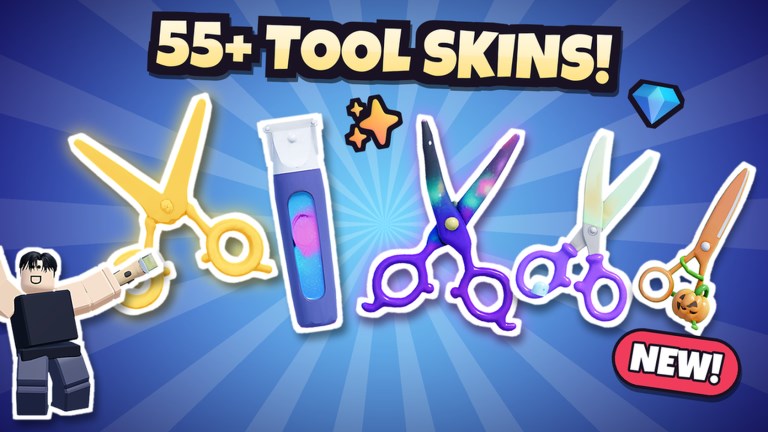
Hair Empire (Roblox listing: Barber & Salon Empire) is a salon simulator first and a button maze second. Whether you play on a phone, tablet, or PC, the same loop matters: approach a chair, start the cut, nail the timing window, collect cash, clean up, then open build or Codes when the floor is calm. This controls guide maps those actions so you stop blaming the scissors when the camera is the real problem.
Core actions on every platform
- Move — Standard Roblox movement. On mobile, use the virtual stick; on PC, WASD or arrows.
- Look / camera — Drag on mobile, mouse on PC. Keep the chair centered before you tap Interact so the minigame does not start sideways into a neon wall.
- Interact / sit client — Face the chair or customer prompt and press the on-screen Interact button (mobile) or the default Roblox interact key (usually
Eon PC, confirm in Roblox settings if rebound). - Cut minigame confirm — Follow the on-screen timing, swipe, or click prompts for the style request. Do not mash; Hair Empire rewards clean windows more than spam.
- Collect cash — After a successful cut, grab the payout prompt unless you own Auto Collect & Clean.
- Clean chair — Reset the station so the next customer can sit. Auto Collect & Clean removes this chore.
- Open HUD panels — Left-side buttons cover shop, Codes, and related menus. Tap once; double-taps sometimes close the panel you just needed.
PC-specific tips
PC players get finer camera control, which helps during Precise fades and when decorating with Precision Build. Zoom out slightly before starting a cut so the timing UI is not buried behind your avatar’s shoulder. If Interact fails, walk one step closer — collision with mirrors and arcade cabinets is common in busy salons.
Use the keyboard for HUD muscle memory: open Codes between customers, not mid-stroke. When building, unlock freer rotation only if you own Precision Build; otherwise snap to the default grid and keep aisles clear for NPC pathing.
Mobile-specific tips
Thumbs cover half the screen on phones, so rotate the camera first, then tap Interact with a free thumb. Landscape mode usually makes timing bars easier to read. If the Codes button feels tiny, finish the current cut, step back into open floor space, then open the panel — menus are more reliable when you are not clipped inside a VIP station.
Battery savers and low graphics can delay prompt spawns. If a customer stands idle, wait a beat before re-tapping Interact so you do not cancel the session.
Build mode controls mindset
Build mode is where empires stall. Place chairs with walk-up clearance, keep mirrors from blocking camera orbits, and leave a lane from door to till. 2x Item Limits doubles furniture caps; Precision Build adds 15° rotation and a finer grid. Neither pass replaces a clear floor plan — see shop upgrades for what to buy first.
Codes and shop without breaking flow
Open Codes from a calm spot after a payout. Paste strings exactly as shown on the Codes Hub and the how to redeem walkthrough. Shop purchases that change tools mid-queue can confuse the next minigame; buy between customers.
Accessibility and comfort
Lower camera sensitivity if timing windows feel twitchy. Increase UI scale in Roblox settings on small phones. Colorful neon is part of Hair Empire’s fantasy, but high bloom can hide prompts — drop graphics one notch if you keep missing confirms.
Practice drill (five minutes)
- Load in and center one chair in the camera.
- Complete one cut without opening any other menu.
- Collect and clean manually once so you understand the baseline.
- Open Codes, close it, then seat the next client.
- Enter build mode, nudge one prop, exit, and confirm customers still path correctly.
Finish that drill and the rest of the wiki — getting started, haircut tips, earn cash fast — stops feeling abstract.
Common control failures
- Interact does nothing — Too far, wrong angle, or another player claimed the chair in a busy server (max 7 players).
- Minigame starts then cancels — Camera yank or accidental second tap.
- Cannot find Codes — Left HUD; rejoin if UI failed to load after a long session.
- Build piece will not place — Limit reached, collision, or grid snap fighting a wall. Check gamepasses only after the layout basics work for free.
Hair Empire is generous once inputs feel boring. Make controls boring, then chase neon.
Cross-links for after you bind muscle memory
When movement is automatic, push income with offline earnings and staff, refine style accuracy with haircut tips, and spend Robux only after reading the gamepass tier list. Controls will not print cash — clean cuts will.
Frequently Asked Questions
Quick answers for Hair Empire players.
What key interacts on PC in Hair Empire?
Roblox default interact is usually E unless you rebound it in Roblox settings. Face the chair closely before pressing.
Why is mobile Interact hard to hit?
Rotate the camera first so the prompt is free of your thumbs, preferably in landscape, then tap once.
Do I need Precision Build to decorate?
No. It helps perfectionists. Free grid placement is enough for a profitable starter salon.
Where is the Codes button?
On the left HUD after your salon loads. Full steps are on the how to redeem page.